
MCP security: 12 controls before connecting a server to your agents

MCP is neither safe nor dangerous in itself: it all depends on the servers you connect and what you allow them to do. Of nearly 8,000 MCP servers exposed on the internet, 40% have no authentication at all. Allow known servers, tool by tool, with human approval on sensitive actions and a log of the calls.
What is an MCP server, and why does it widen the attack surface
The Model Context Protocol (MCP) is an open protocol that lets an AI agent call external tools: read a file, query a database, send a message, trigger an action in another service. Every MCP server connected to an agent adds one more access point between that agent and the rest of the information system, with its own tools, its own permissions and, often, its own authentication token. Before MCP, a coding agent read and wrote files inside a repository; with an MCP server connected to a storage space, a messaging tool or a tracker, the same agent can act well beyond that original scope, with the same consequences as a poorly scoped service account.
Three elements concretely change an agent's attack surface once an MCP server is connected. Tools, first: every function the server exposes becomes an action the agent can trigger, sometimes without the human operator knowing precisely which one was chosen at a given moment. Access, next: a server connected to a database or a file store often gives the agent a scope wider than what the current ticket actually needs, especially when the server offers no finer granularity than full access. Tokens, last: the server carries or relays authentication toward the system it exposes, and a poorly isolated or poorly verified token becomes a single point of failure between an agent and permissions that should never belong to it directly.
The MCP specification recommends that a human be able to deny any tool call before it runs, precisely because these three elements add up quickly. MCP is in itself neither safer nor more dangerous than any other integration: the risk comes from the servers you connect and the permissions you leave them, not from the protocol itself. A server limited to reading a single folder, with a dedicated token and a restricted tool list, exposes almost nothing more than the agent already had. The same server configured with full access to a production database, a token shared with other uses and no list of what it can do, turns a simple tool addition into a risk that reaches far beyond the agent that uses it.
Take a concrete example: a coding agent connected to a file system MCP server, configured for convenience on the user's personal folder rather than on the project repository alone. The current ticket only asks to read a configuration file, but the agent can, technically, list and read any other file in the same folder, including a private key or a password list left there by mistake. Nothing in the protocol prevents this wide scope; it is the server's configuration, not MCP itself, that decides whether the actual scope granted matches the ticket's real need.
The documented risks
Four families of risk keep coming up in public research on MCP and in OWASP's work on large language model applications. Each one has already been observed outside a lab, not only demonstrated in theory, and each stays directly linked to one of the three elements described above: tools, access or tokens.
The first risk is tool poisoning: a malicious or compromised MCP server slips hidden instructions into the description of a tool the agent reads, instructions the human user never sees. In April 2025, the research lab Invariant Labs documented a real attack against an MCP server connected to WhatsApp: a side tool, presented as a simple daily fact lookup, carried a hidden instruction that pushed the agent to silently change the recipient and content of an outgoing message, exfiltrating the conversation history to the attacker through WhatsApp itself. The report notes that several consumer MCP clients executed that instruction without any signal warning the user. The lesson is not about one particular vendor: it is that an agent reads a tool's description as just another instruction, unless its operator explicitly prevents that. This kind of attack works precisely because a side MCP server, added for a function judged harmless, can coexist with a more sensitive one with no barrier separating what one can read from what the other can write.
The second risk is token passthrough and the confused deputy problem: an MCP server relays a token to a third-party service without verifying it was issued for the server itself, or acts with permissions that are not its own because an attacker manipulated it into borrowing them. The MCP specification describes this scenario precisely for servers acting as an OAuth proxy toward a third-party API with a single, static client identifier: without per-client verified consent, an attacker can make the server act on their behalf against the remote service. The specification explicitly forbids token passthrough for this reason and requires a server to validate every token directly against its issuer rather than relaying it unchecked. The same principle applies outside the OAuth proxy case: any MCP server that accepts a token without verifying it was really meant for it opens the door to a compromised third-party service, able to borrow the agent's identity to act in its name well beyond what its operator authorized.
The third risk is the ghost server: a developer installs an MCP server on their machine or inside a project, for example to connect to a production database or an internal storage space, without the security team or the organization ever knowing about it or validating its permissions. A public study counting nearly 8,000 MCP servers exposed on the internet found that 40% of them required no authentication at all, which means a server installed without review can stay reachable well beyond the machine or the project it was added for, sometimes for a long time. The same work notes that the lack of authentication affects test servers forgotten online just as much as servers connected, without anyone quite deciding so, to real data; reviewing already-connected servers periodically therefore matters just as much as reviewing the very first addition.
The fourth risk is excessive exposure: a tool designed for one precise task, for example reading a configuration file, actually gives access to an entire folder, a full database or a production instance, because the server offers no finer granularity than a blanket access. OWASP places this risk under excessive agency in its recommendations for large language model applications: an agent that can do more than its ticket requires may, one day, actually do it, either through a manipulated instruction or through a simple reasoning mistake about which tool to use. A poorly scoped file-reading tool can thus grant access to an entire customer database rather than the single record the ticket expected, without any line of the agent's code ever explicitly asking for such a scope.
Controls to put in place before connecting a server
Six controls cover most of the risks documented above. None of them depends on any particular MCP server vendor, and each addresses one precise risk rather than a general recommendation for caution.
Secrets, meaning the keys and tokens an MCP server uses, must stay out of versioned source code and out of the prompt sent to the model: a secret visible in a configuration file or in an agent's context can be copied, re-read or passed on to a third party without any deliberate malicious action being needed. Human approval on sensitive actions, such as a production write or sending a message to the outside world, adds a stopping point before an irreversible action goes through, exactly where a manipulated instruction would do the most damage. Logging every call, finally, prevents no incident on its own, but it turns an unanswerable question, such as what this agent did and when, into a few minutes of searching an exportable history.
These six controls belong before a server is connected, not after a first incident: a list of allowed tools decided after the fact does not undo the calls already made, and a log added after a leak no longer helps work out what was actually read or written. The simplest one to apply first remains the list of tools allowed per agent: an agent that can only call the tools its ticket needs cannot, through a reasoning mistake or a manipulated instruction, use another one its operator never authorized.
Separating connections by project deserves particular attention in organizations running several projects with MCP agents: a connection shared between two projects exposes one to the permissions and risks of the other, even when both belong to the same organization. Reviewing servers before adding them remains the only control that acts before the server ever runs: it checks the publisher, the version and the scope of the declared tools, exactly what would have caught the side tool behind the WhatsApp attack before it was ever connected.
| Risk | Control | Who owns it |
|---|---|---|
| Privilege abuse by an agent | List of tools allowed per agent | Agent lead, in the job sheet |
| Irreversible action triggered without oversight | Human approval on sensitive calls | Human operator |
| Theft of secrets, a token or an exposed key | Secrets out of the code and out of the prompt | Security team |
| No evidence after an incident | Log of every call | Agent lead |
| Permission leakage between two projects | Separation of connections per project | Organization administrator |
| Ghost server added without review | Server review before adding | Security team |
How Atipol does it
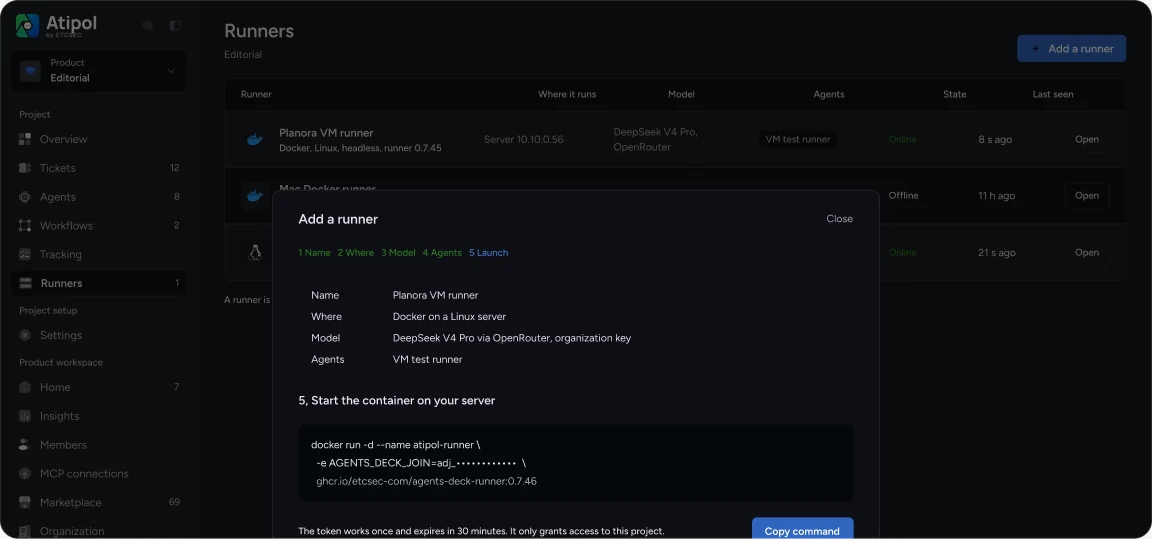
In Atipol, each agent has its own MCP profile: the list of tools it is allowed to call, assigned role by role rather than to the whole project. An agent in charge of reviewing code does not have access to the same tools as an agent in charge of deploying, even if both work on the same project at the same time. MCP connections themselves are managed at the workspace level, which keeps a connection added for one project from becoming available elsewhere without an explicit decision, and gives the team a single view of what is actually connected.
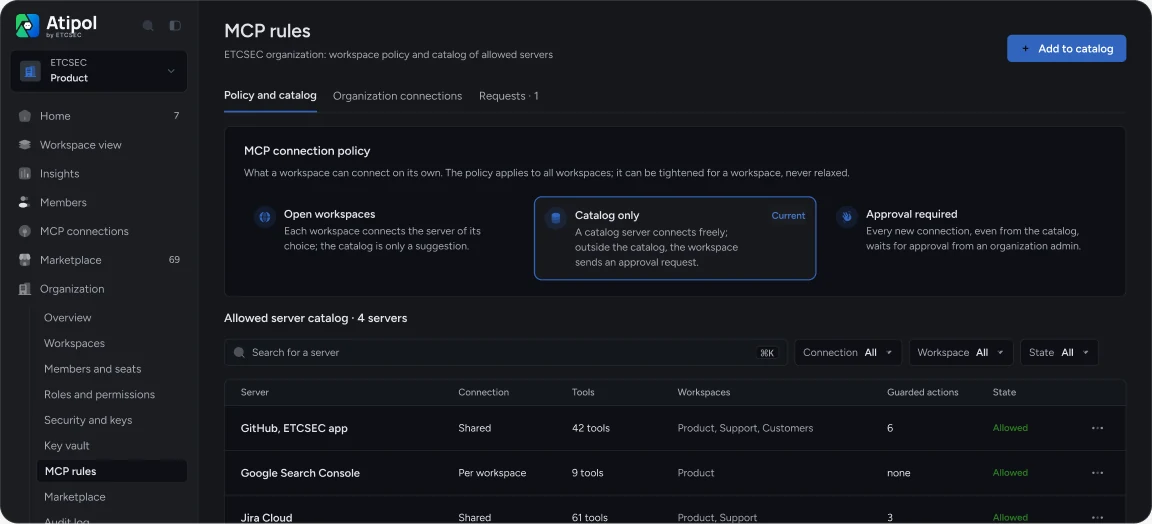
MCP rules are set at the organization level: a workspace can apply them more strictly, never bypass them agent by agent, which keeps a local exception opened for one rushed project from quietly becoming the rule for every other one. When an MCP call requires approval, the project's lead agent grants or denies it, with the ticket's context in view rather than an isolated call with no explanation; a request left unanswered expires after 30 minutes, rather than staying open indefinitely while waiting for a human busy elsewhere.
Keys used by MCP connections are kept in a vault encrypted under the organization's key, never shown in clear text in a configuration file or in the context sent to a model, which strips the prompt itself of any value if it ever leaks. Atipol does not, on its own, detect MCP servers installed outside the platform, and does not replace a security review of the servers themselves: it governs the connections and calls that pass through its own framework, not what happens entirely outside it.
Frequently asked questions
Is a local MCP server safer?
It reduces network exposure, not the risk of misuse: a local server with too many permissions or a shared token is still dangerous. A server's location never replaces a list of allowed tools and a review before adding it.
How do you audit MCP calls?
With a log that links every call to an agent, a ticket and a result. In Atipol, that log comes with the human approval the lead agent granted or denied for the calls that required it.
Do you need an MCP gateway?
A gateway filters calls at the network level; it does not say who asked for the call, in which ticket, or against which criteria. Atipol governs that second layer, on top of a gateway if your organization already uses one.
What is token passthrough?
It is when an MCP server accepts a token that was not verified as issued for it and relays it to another service. The MCP specification explicitly forbids this, since relaying exposes the account the token was issued to.
Who approves a sensitive MCP call in Atipol?
The project's lead agent approves or denies each MCP call that requires it. A request left unanswered expires after 30 minutes, rather than staying pending indefinitely.
How do you avoid ghost MCP servers?
By reserving the addition of a new server for a prior review and by separating connections per project, so a server installed for one use never becomes reachable elsewhere without an explicit decision.
Sources
- MCP specification, Security Best Practices
- "Exposed by Design", arXiv 2608.00150
- OWASP GenAI, Excessive Agency (LLM06:2025)
- Invariant Labs, WhatsApp MCP Exploited, 04/2025
To connect these controls to a complete governance framework, see our AI agent governance guide.
For what these controls cost in practice, see our article on AI agent costs.
The public demo shows a fictional organization at work, no account needed. The free plan includes a project, three agents and an agent lead.